
External players: what they ship with and what comes off
· 7 min read
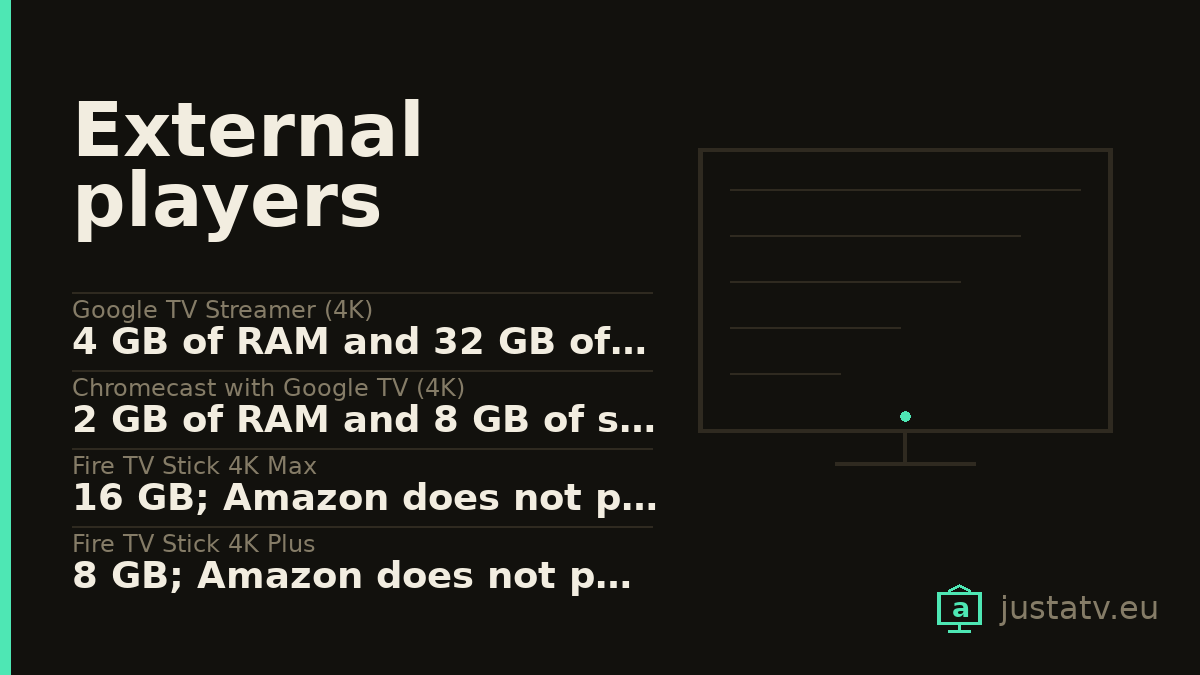
| Google TV Streamer (4K) | 4 GB of RAM and 32 GB of storage |
|---|---|
| Chromecast with Google TV (4K) | 2 GB of RAM and 8 GB of storage |
| Fire TV Stick 4K Max | 16 GB; Amazon does not publish the RAM |
| Fire TV Stick 4K Plus | 8 GB; Amazon does not publish the RAM |
| Xiaomi TV Box S (2nd gen) | 2 GB of RAM and 8 GB of storage |
| Systems | Android TV on Google and Xiaomi; Fire OS on Amazon |
| Google's support | At least 5 years; the Streamer, until 24/09/2029 |
| Amazon's support | 4 years after it stops being sold as new |
| Xiaomi's support | Not published |
| Ethernet | Built in only on the Streamer and the Fire TV Cube |
Several pages in this directory end with the same advice: if the TV has run out of storage and out of updates, leave it as a screen and put a player in front of it. Until now there was no page about those devices, so here it is.
The angle has to be different. On a TV the question is what you can remove. On a player the question comes earlier: whether it is worth buying. Two figures answer that, and both are published.
If you are here because your TV stopped getting updates, look first at what you can do before: buying another device is not the first step.
Memory, which is what sets the years
This is the comparison that matters, and it comes from Google's own table, the one its store puts in the Streamer's frequently asked questions:
- Google TV Streamer (4K): 32 GB of storage and 4 GB of memory.
- Chromecast with Google TV (4K): 8 GB and 2 GB.
Four times one and twice the other. In practice that is not "it runs a bit better": it is the difference between a device with room for the apps you use plus the updates of the next few years, and one that in two years makes you choose which app to uninstall in order to install another.
At Amazon the only figure published is storage, and their own site turns it into a selling point: the Fire TV Stick 4K Max has 16 GB, twice the space of the 8 GB in the rest of the range. The HD, the 4K Select and the 4K Plus stay at 8 GB. RAM appears in none of their tech spec tables, so it is not stated here.
The Xiaomi TV Box S (2nd generation) publishes both: 2 GB of RAM and 8 GB of ROM, with a quad-core Cortex-A55 and a Mali G31 MP2. In memory terms, it is a Chromecast.
The years, according to whoever promises them
The two companies promise different things, and both put it in writing.
Google says its connected home devices get security updates for "at least 5 years" from the date it starts selling them on the US store, and publishes the table of dates. The Google TV Streamer came out on 24 September 2024, so its floor is 24 September 2029. Its Australian statement of compliance repeats the same date for model GRS6B.
That same table holds the awkward part: the 4K Chromecast with Google TV came out on 30 September 2020, and its minimum window expired on 30 September 2025. The HD one runs to 22 September 2027. The table says both are still getting patches, but the written commitment for the 4K one is gone. And all three Chromecast product pages in the Google store redirect: the 4K ones to the Streamer, the HD one to the front page. It is no longer sold.
Amazon promises something else. Its pages guarantee security updates for four years after the device stops being offered as a new item on its own site. That is not a date: it is a countdown that starts the day Amazon withdraws the model, and you do not know that day when you buy. It is more generous than it sounds while the device is still on sale, and completely opaque.
Xiaomi publishes nothing. No years, no date, no field on the spec sheet. That is a data point too.
Google TV Streamer: Android TV with a store
On Google's own spec sheet the "Operating system" field says Android TV
OS, not Google TV. Underneath it is the usual Android, with the Play Store,
with com.google.android.tvlauncher as the launcher and with ADB. Everything
this site explains for a Google TV set applies here unchanged.
It has HDMI 2.1, USB-C, a 10/100/1000 ethernet port and Thread for home automation. The HDMI 2.1 cable is not in the box and you need one. Google does not publish the processor: it says "22% faster" and nothing else.
One detail visible on its own site: on the Spanish store the comparison table says 99.99 € while the buy button says 119 €.

Fire TV Stick 4K Max: Fire OS, and that changes the list
The 4K Max is Amazon's only stick with 16 GB, a quad-core at 2.0 GHz and Wi-Fi 6E. But the system is Fire OS, and none of what you have read about a Google TV applies:
- There are no Google packages. No
com.google.android.tvlauncher, nocom.google.android.gms. The prefix that matters iscom.amazon.. - There is no Play Store. The store is
com.amazon.venezia, with a smaller catalogue, so reinstalling what you remove is not always trivial. - The home screen belongs to Amazon (
com.amazon.tv.launcher) and is a good deal more commercial than Google's. - Updates bring things back more often than on a Google TV.
ADB works the same, because underneath it is still Android. You enable it in Settings → My Fire TV → Developer options → ADB debugging. Before touching a single package, under Settings → Preferences → Privacy Settings turn off interest-based ads: that is half the noise, with no risk and no ADB.
Xiaomi TV Box S: the same Google TV, cheaper and tighter
Google TV, 4K at 60 fps, Dolby Vision and HDR10+, HDMI 2.1, Bluetooth 5.2 and 2.4 and 5 GHz wifi. No Wi-Fi 6 and no ethernet. With 2 GB and 8 GB, its behaviour three years from now looks more like the Chromecast's than the Streamer's, and that has to be part of the decision.
What comes off, and what does not
On the three that run Android TV the list is the usual one: streaming apps
you do not use and preinstalled games go without discussion. Leave
com.google.android.gms and the launcher alone until you have another one
working, and leave anything to do with remote pairing alone.
On Fire TV, the same with different names: out goes what you never open,
untouched stay com.amazon.tv.launcher and com.amazon.venezia. And write
down what you remove, with the whole command beside it: on Fire OS you will
be repeating it after some update.
Does it actually fix an old TV?
It fixes part of it, and it is worth saying which. The player brings its own system, its own memory and its own processor, so apps open quickly again, updates come back, and the TV maker's home screen disappears. That is real, and it is usually enough.
What it does not touch is the panel. The brightness, contrast, refresh rate and HDR your TV has stay exactly the same. If the problem was that you do not like the picture, this does not solve it. Nor does it solve a remote that no longer responds or wifi that keeps dropping, unless the player has ethernet.
And there is one trap to avoid: buying the cheapest one to save thirty euros and ending up with the same 8 GB you were changing device to escape. If you are going to spend the money, memory is the one thing you cannot add later.
If the TV is still usable, there is a middle step that costs nothing: changing the app instead of the device. That is in lightweight players for an older TV.
If you own one
The package list exactly as the device returns it, especially from a Fire TV Stick or a TV Box S, is worth more than any review: it is the only thing that says what really shipped from the factory.