
TCL P755: what it ships with and what comes off
· 6 min read
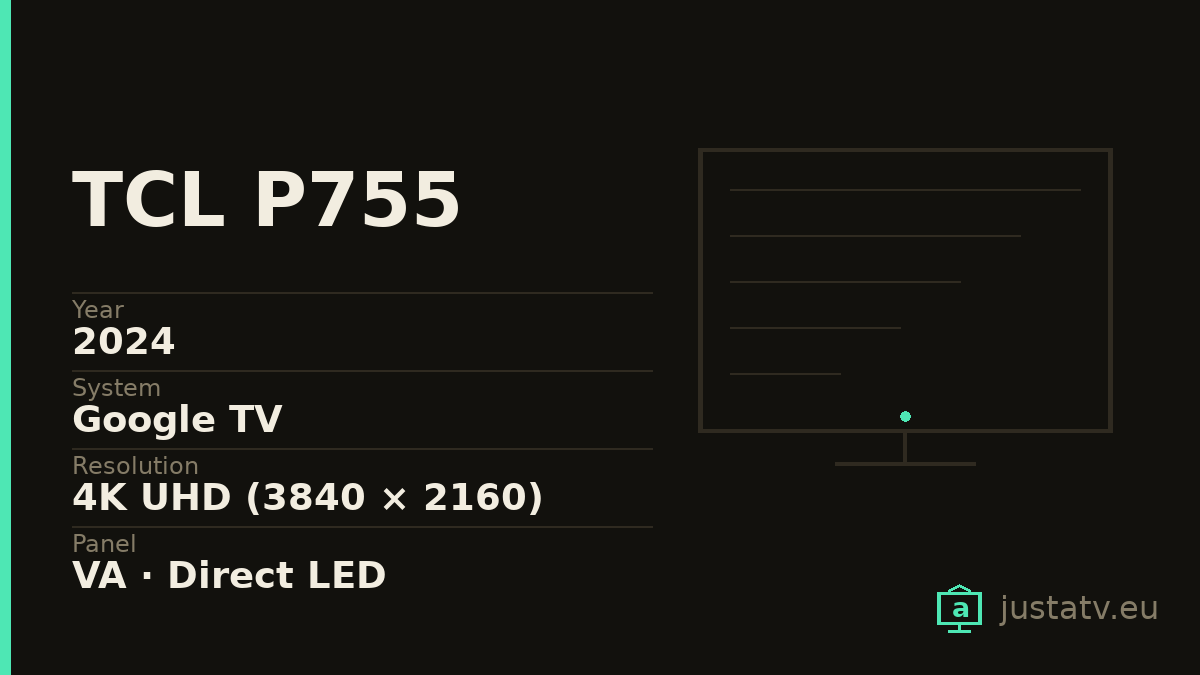
| Year | 2024 |
|---|---|
| System | Google TV |
| Resolution | 4K UHD (3840 × 2160) |
| Panel | VA · Direct LED |
| Brightness | 350 nits |
| HDR | Dolby Vision, HDR10+ |
| Refresh rate | 60 Hz (120 Hz game mode by interpolation) |
| Colour gamut | Up to 93% DCI-P3 |
| Sound | Dolby Atmos |
| Sizes | 43", 50", 55", 65" |
See what comes off this model →
The TCL P755 is one of the best-selling televisions in its price bracket, and one of the ones most people end up looking up how to clean. The reason is the usual one: the panel is more than enough for what it costs, and the software on top of it is built to show you things.
This page is for somebody who already owns one.
What it is, in two lines
A 2024 4K set with a VA panel and direct backlighting, Dolby Vision and Google TV out of the box. The 350 nits of brightness put it exactly where it belongs: fine in a room with the light under control, tight in a living room at midday. The 60 Hz are real 60 Hz; the "120" of game mode is interpolation, not a panel refresh rate.
None of that is a fault at this price. It is exactly what the middle of the range is, and it is worth knowing before reading anything else: what this television cannot do in hardware, removing apps will not fix.
What removing things does improve
What is surplus on a P755 is not the panel, it is what runs on top of it. Every time the home screen starts, Google TV loads rows of recommendations and sponsored content pulled off the network. On a set with memory to spare, you would not notice. On this one you do, in how quickly the remote answers.
Take the surplus off and what really changes is:
- The home screen start-up, from several seconds to almost immediate.
- The advertising in the interface itself, which goes.
- Network traffic, down to a fraction.
What does not change: video decoding, panel brightness, or how long Netflix takes to load an episode.
Whether this page is about your television
The code on the sticker at the back is no use for searching: TCL sells the same television with different suffixes by country. What identifies a set is the platform name it reports about itself.
With ADB debugging switched on:
adb shell getprop ro.product.device
adb shell getprop ro.build.version.release
The first gives the internal board name, the second the Android version. If they match the directory entry, you are on the right page; if not, your unit is from another batch and whatever comes off has to be checked the same way, one at a time.
What it ships with
A TCL running Google TV carries three layers of software, and they are worth telling apart because they are not treated alike:
Google's layer. The launcher (com.google.android.tvlauncher), the
recommendations service (com.google.android.tvrecommendations), the assistant
(com.google.android.katniss) and Google's own content apps. This is where the
home screen advertising lives.
TCL's layer. Packages under com.tcl.*: their own launcher, themes,
wallpapers, the manufacturer's store and the update services. It varies a lot
between batches and between countries.
The preinstalled apps. Netflix, Prime Video, YouTube and whatever paid to be there. These are ordinary applications: they come off and go back on from the store whenever you want.
To see the real list on yours:
adb shell pm list packages > my-tcl.txt
That file is the starting point for everything else, and it is the only thing missing to close this model's entry in the directory.
What comes off without much thought
Streaming apps you do not use. Between 50 and 200 MB each, and their updates pile up. None is a dependency of anything.
Shop modes and demos. Anything with demo, retail or store in the
name. In a house they do absolutely nothing.
Preinstalled games. Never a dependency of anything.

What to look at first
com.google.android.tvrecommendations. This is the one that takes the
recommendations row away, which is usually why people end up here. On some
models the factory launcher depends on it, and removing it leaves the home
screen blank. If you are going for it, install an alternative launcher first
and check it works.
Anything with remote, ir, bluetooth or input in the name. That is
where the remote lives. Losing it is especially annoying because the usual way
to fix anything on a television is… the remote.
TCL's update services. They can go, but then the television stops getting patches. On a 2024 set that still matters.
What not to touch
com.android.systemui is the interface: without it there is nothing on screen.
com.android.settings is the settings menu. com.google.android.gms is Google
services, which authentication and half a dozen streaming apps depend on.
How much you will notice
Worth putting the bar where it belongs. Before touching anything, look at how much memory is free:
adb shell cat /proc/meminfo | head -3
Compare MemAvailable against MemTotal. If the first is under 15% of the
second, that is your problem and everything else is secondary. Take the
measurement again after the clean-up: that is how "it feels faster" turns into
a number.
On a set in this bracket, expect a clear improvement in home screen start-up and in how the remote answers, and none at all in playback inside the apps. Netflix will take exactly as long.
Where it sits in the range
TCL reuses platforms across series, which means much of what is said here holds for its neighbours:
- P755: this one. Direct LED, 60 Hz, Google TV.
- C755: steps up to QD-Mini LED and a higher refresh panel. Nearly identical software, so the package list looks much the same.
- P745 and earlier series: same approach, tighter hardware. The clean-up shows more there, precisely because there is less memory to spare.
If your television is one of the neighbours, the procedure is the same; what changes is the specific list, and only somebody with the set in front of them knows that.
If the hardware is the limit
There is a point where removing things stops paying. If the set is still tight after the clean-up, what is left is not software: the platform gives what it gives.
The sensible way out is not a new television, it is to stop asking this one to be clever. An external player over HDMI (a mini PC, a Raspberry Pi, a modern streaming device) puts a fast, updated interface in front of a panel that is still perfectly good. The television goes back to what it does well, which is showing a picture.
All of this can be undone
Every uninstall documented here affects the current user only: the factory file stays on the system partition and the restore command links it back. Nothing is downloaded and the firmware is not touched.
adb shell cmd package install-existing com.the.package
And if something really did go wrong, a factory reset returns the television to exactly the state it left the box in.
If you own one
This model's entry in the directory closes with one thing: the list of apps on your set. Thirty seconds with a command, and it saves the afternoon of whoever comes next.